
Home
STORIES SHORTS MORE

KTM Duke 200 Speedometer Water Damage: Causes, Repair Steps & Simple Guide

Mohammed Bilal Avatar

Mohammed Bilal

Published: November 25, 2025

Share:
KTM Duke 200 Speedometer

The KTM Duke 200 is one of the most loved street bikes in India. It is fast, stylish, and fun to ride. But many riders face one common problem—water damage in the speedometer.

At Gadi Garage, we repair many KTM meters every year, and water damage is one of the top issues our customers bring to us.

In this simple blog, you will learn:

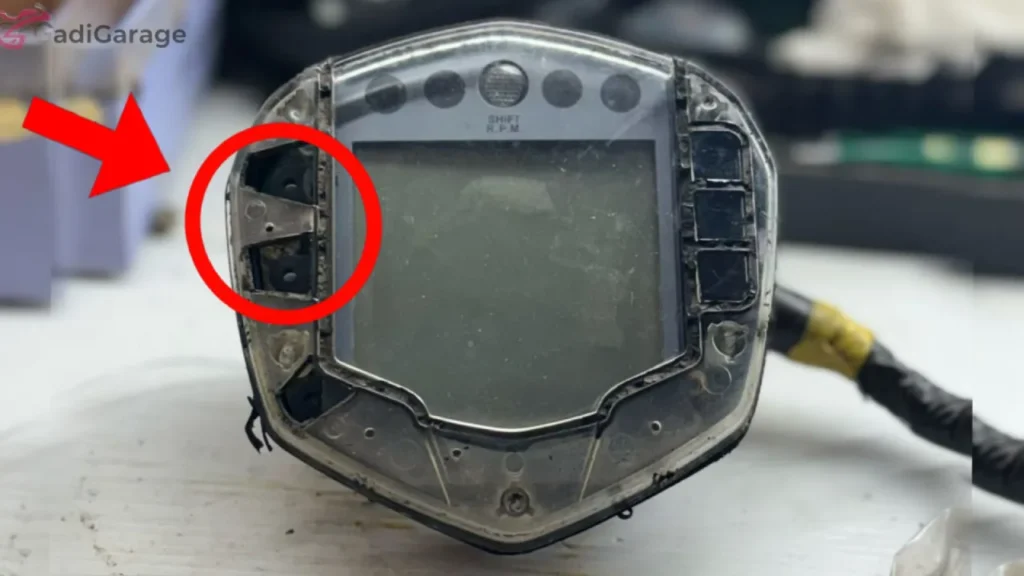
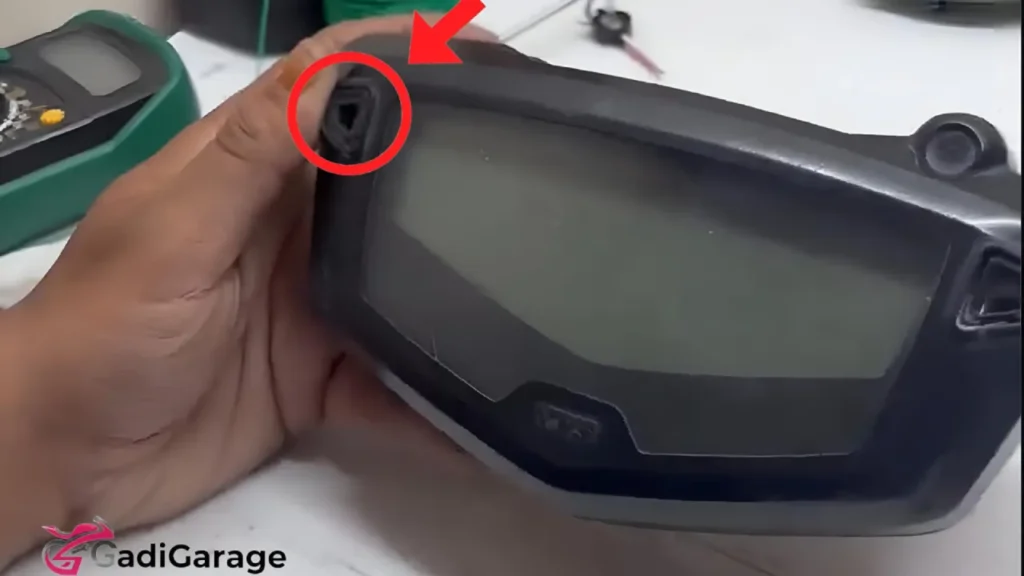
KTM Duke 200 Speedomete Rubber Beading

Why the KTM Duke 200 Speedometer Gets Water Damage

Even though KTM uses good-quality parts, the meter can still get damaged by water. Here are the main reasons:
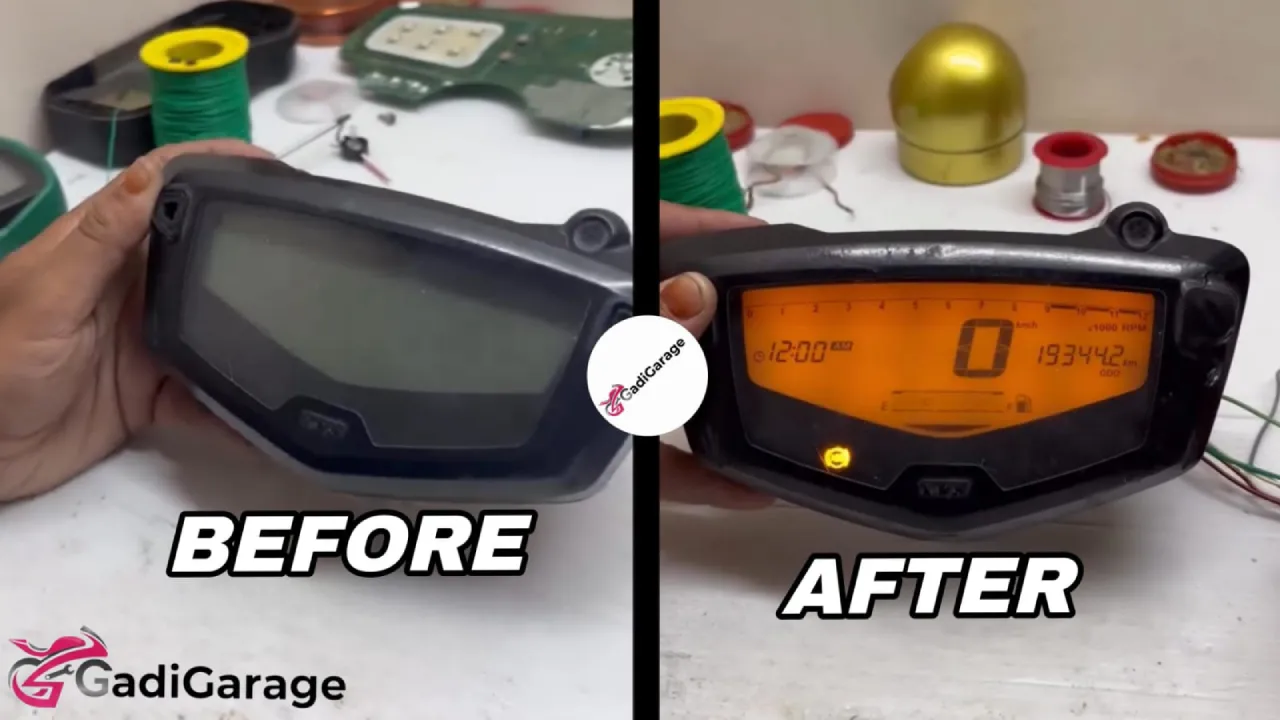
Read Also

1. Weak Sealing or Rubber Beading

Over time, the rubber around the meter becomes weak. This allows water to enter inside.

2. Riding in Heavy Rain

Long rides in rain or washing the bike with high-pressure water can push water into the display.

3. Heat and Water Together

When the meter becomes very hot in sunlight, and water touches it, tiny cracks or fogging can appear.
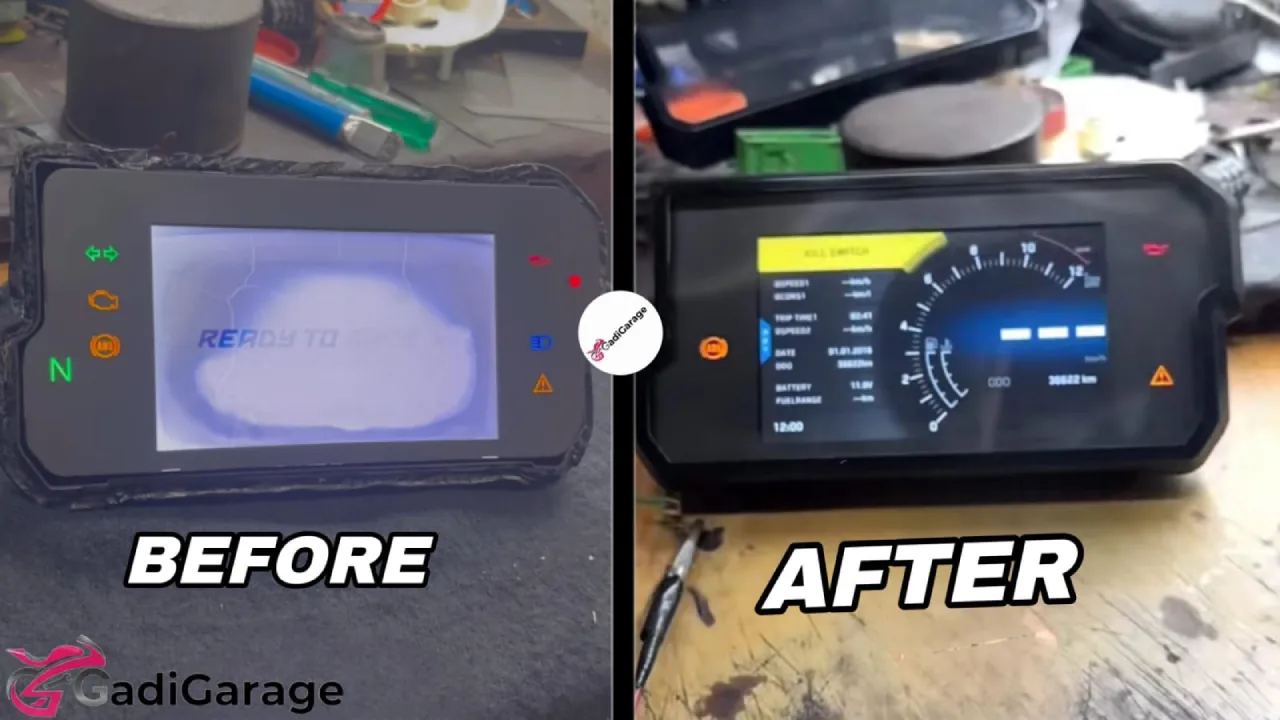
4. Loose Connectors

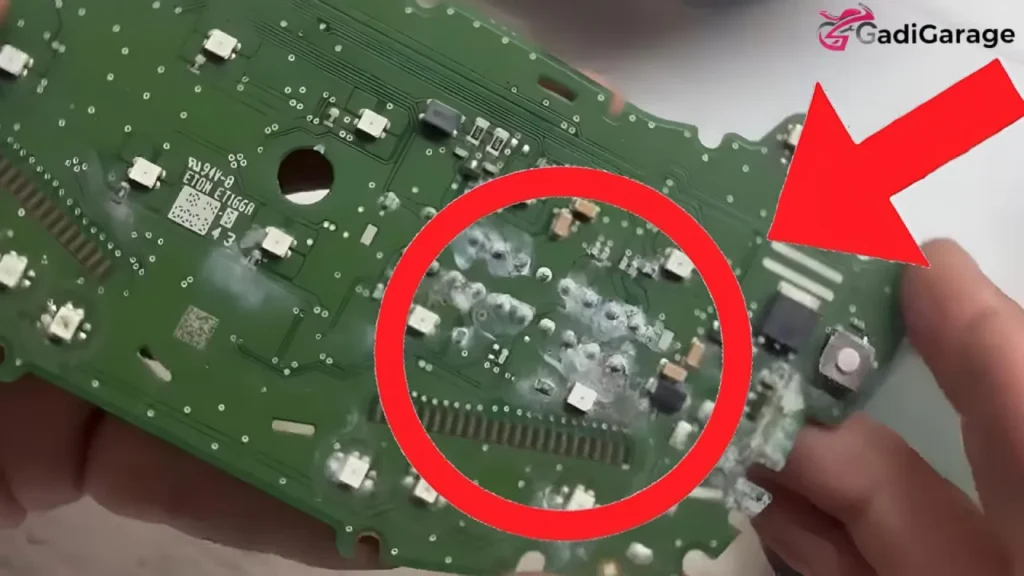
If the wiring or connectors are loose, water can reach the motherboard and cause damage.
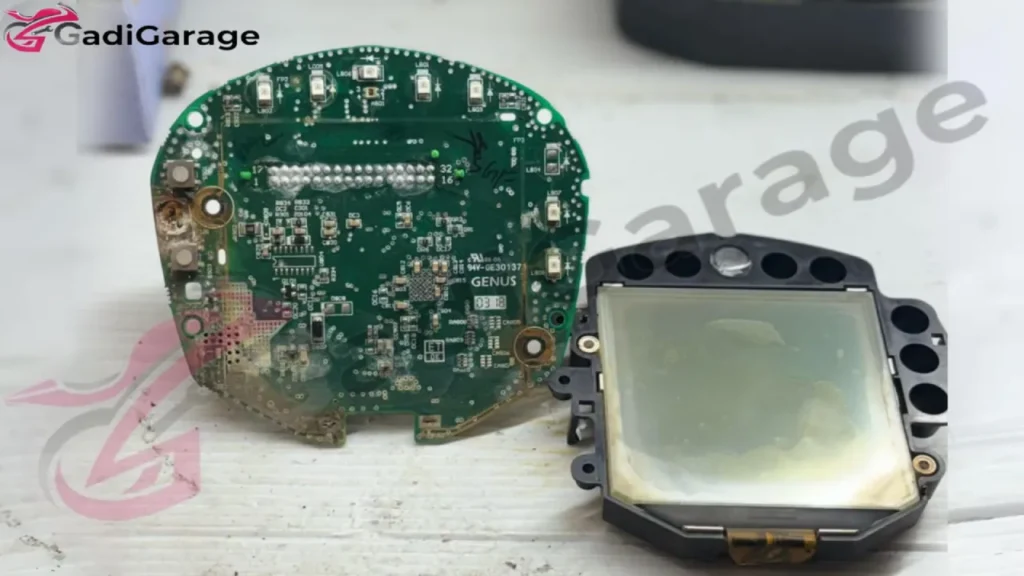
KTM Duke 200 Speedometer Water Damaged Board Display

Common Signs of Water Damage in Duke 200 Meter

If your meter is water damaged, you may notice:

  • Display looks blurry or faded
  • Screen blinks or goes off
  • Fuel bar or RPM does not move
  • Water droplets inside the display
  • Buttons not working
  • Backlight works but screen stays blank
  • Meter turns on but nothing is visible

If you ignore these signs, the motherboard can fail completely.

KTM Duke 200 Speedometer Water Damaged Motherboard

What You Should NOT Do

Many riders try to fix the meter on their own, but this creates more problems.

Avoid these mistakes:

  • Do not keep the meter in sunlight to dry
  • Do not use a hairdryer or heater
  • Do not open the meter if you are not trained
  • Do not spray WD-40 or any liquid inside

These can cause heat damage, short circuits, or corrosion.
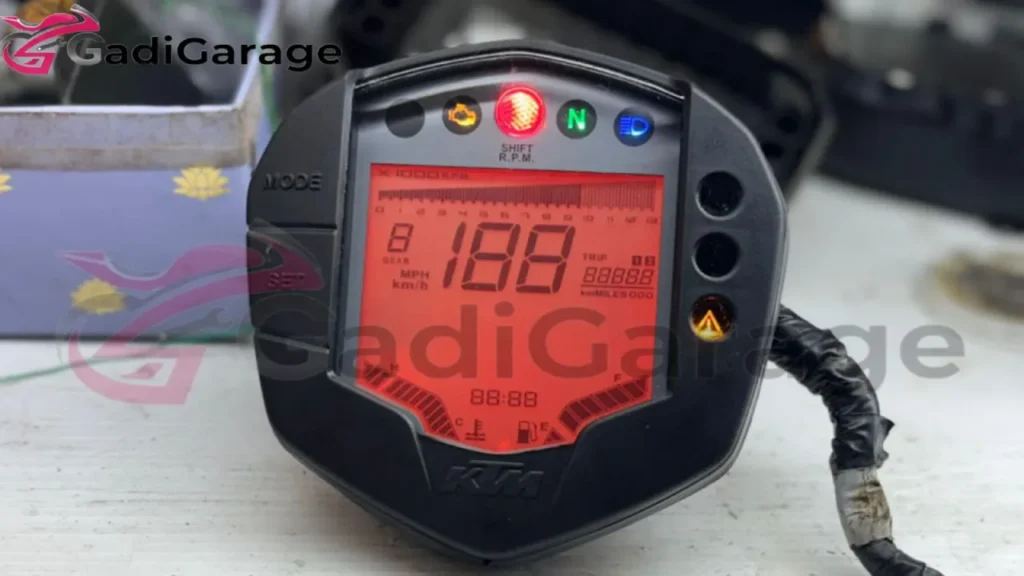
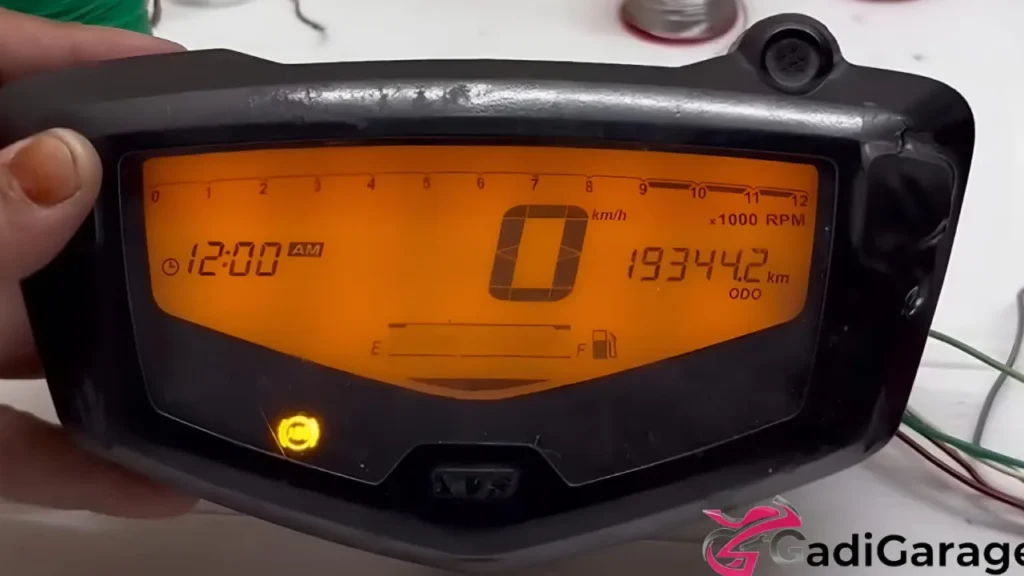
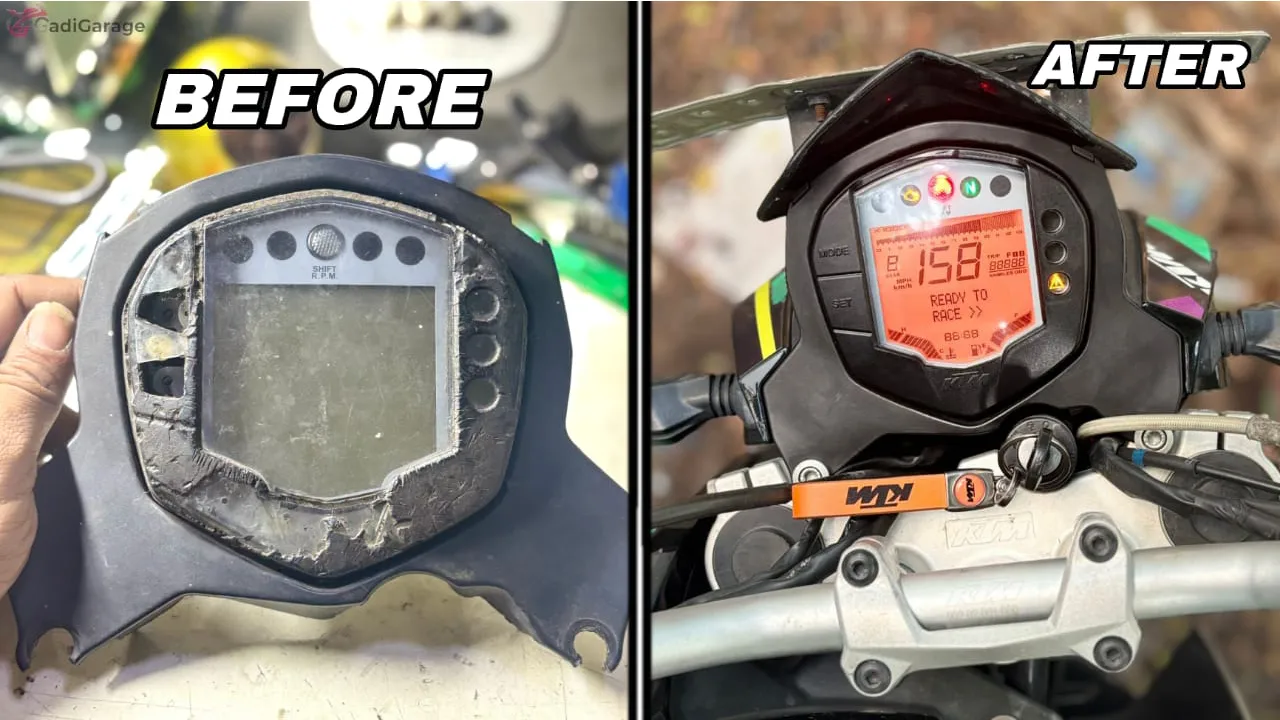
KTM Duke 200 Speedomete Water Damaged Restored

How Gadi Garage Repairs KTM Duke 200 Water-Damaged Meters

At Gadi Garage, we follow a clean and careful repair process to make your KTM Duke 200 meter work like new again.

1. Meter Opening

We open the meter safely without breaking the clips or damaging the seals.

2. Removing Water & Dirt

All moisture, fog, and mud inside the meter are removed using proper tools.
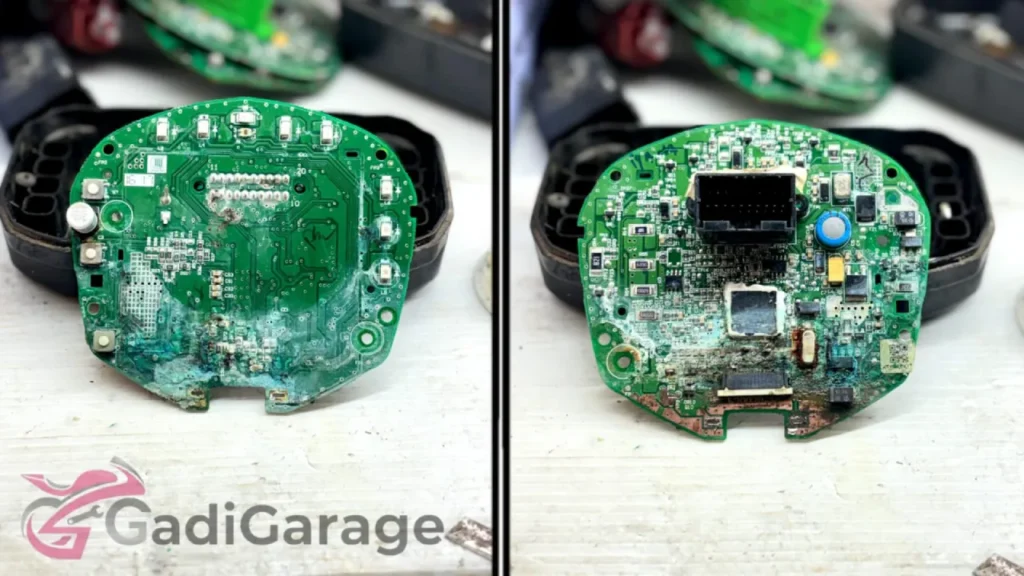
KTM Duke 200 Speedometer Motherboard

3. Motherboard Inspection

We check the board for:

  • Short circuits
  • Burn marks
  • Rust or corrosion
  • Damaged IC components

4. Board-Level Repair

We repair or replace:

  • Corroded tracks
  • Faulty IC chips
  • Backlight drivers
  • Weak connectors

5. Display Repair or Replacement

If the display is weak, faded, or dead, we restore it or install a new screen based on the condition.

6. Replacement of Upper and Lower Meter Housing

Many water-damaged meters have cracked or weak plastic covers.
To ensure proper sealing, we replace the upper top cover and bottom cover of the meter with new ones when required.
This helps prevent future water entry and increases the meter’s life.

KTM Duke 200 Upper Housing

7. Full Waterproofing Seal

We reseal the meter using high-grade waterproof gum so that water cannot enter again.

8. Final Testing

Before delivering the meter, we check:

  • RPM movement
  • Fuel bar response
  • Backlight
  • Speed Test
  • Brightness

Everything is tested to ensure the meter works perfectly.
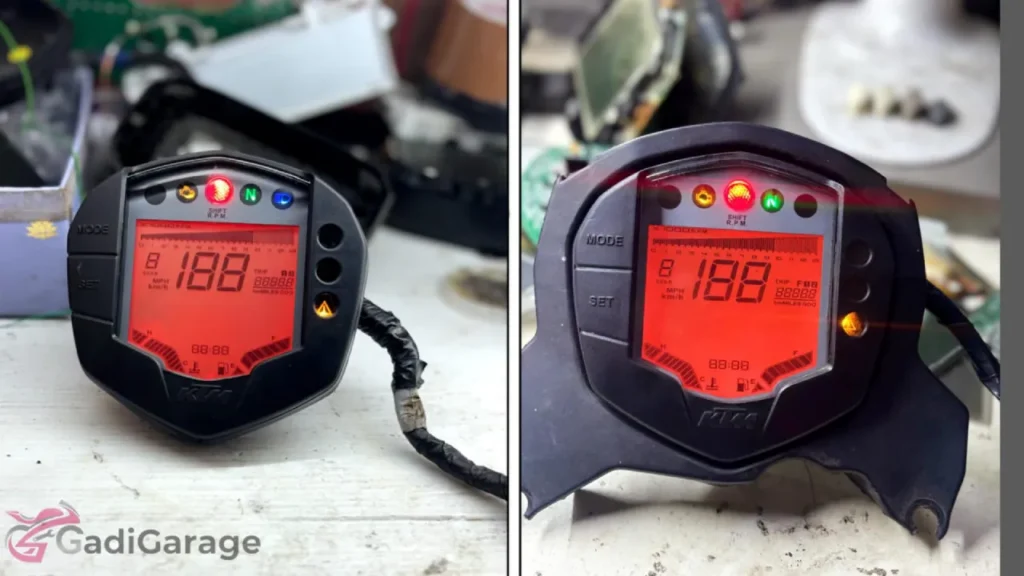
Serviced KTM Duke 200 Speedometer

Why Choose Gadi Garage?

  • Specialist in bike and car digital meter repairs
  • 1000+ KTM Duke meter repairs done
  • Courier service available across India
  • Fast and affordable service
  • Strong waterproofing solutions

Contact: 98409 64204
Gadi Garage – Digital Meter Repair Specialist

How to Prevent Water Damage in Future

  • Do not use pressure water directly on the meter
  • Use a cover when riding in rain
  • Park your bike in shade
  • Repair small cracks as soon as you see them
  • If you see fogging, get the meter checked quickly

Conclusion

Water damage in the KTM Duke 200 speedometer is common, but it can be fully repaired. At Gadi Garage, we restore the display, motherboard, and sealing so the meter works like new again.

If your Duke meter is damaged, just call or WhatsApp 98409 64204.
Courier service available across India.

So, what do you think — should every Duke owner waterproof their meter before the rainy season? Share your thoughts in the comments below!
- NEXT POST -

Apache 160 Meter Looked Completely Dead After Water Damage — Here’s How We Saved It

Mohammed Bilal Avatar

Mohammed Bilal

Published: December 11, 2025

Share:
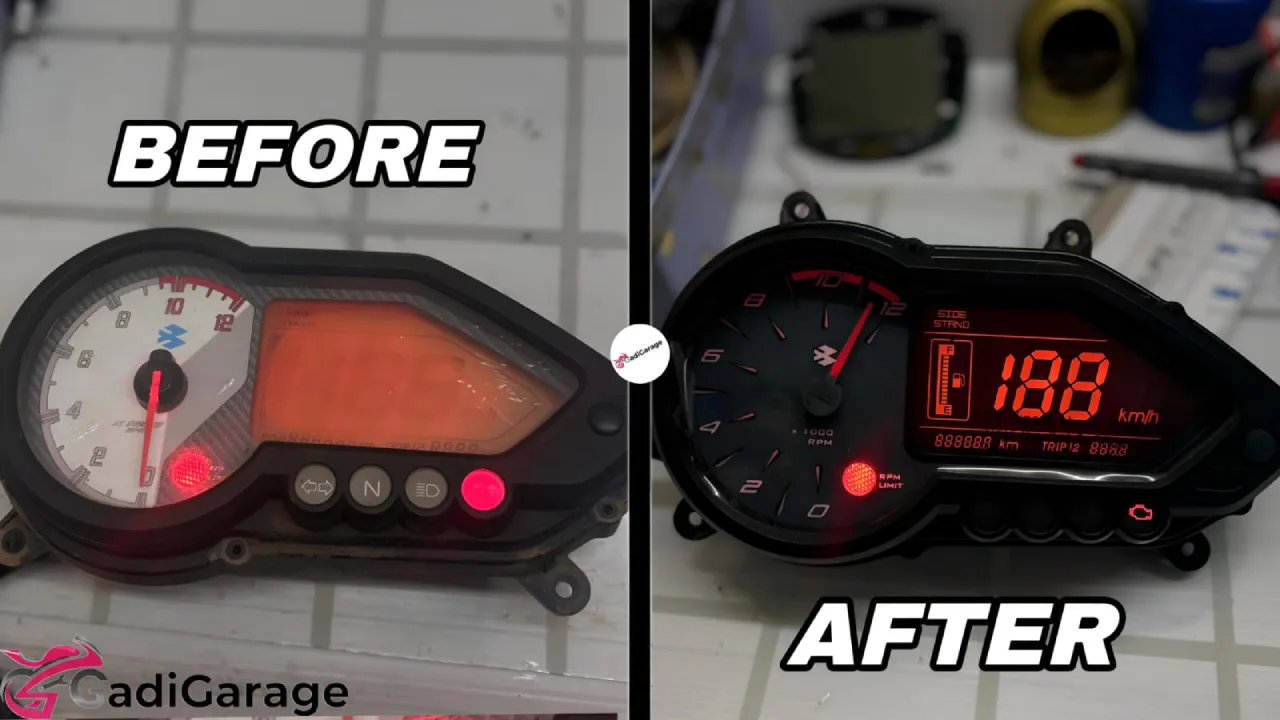
Apache 160 meter Before And After

Today at Gadi Garage, we received an Apache 160 digital meter that looked completely dead after severe water damage. The customer arrived with a simple request:

“Bro, if you can save this meter, please do it. I don’t want to buy a new one.”

The older Apache 160 model uses a digital speedometer that is extremely sensitive to moisture. Once water enters the meter and stays inside, it can burn the internal circuits very quickly.

In this case, the meter wasn’t just affected — it was heavily damaged and several components on the motherboard were burnt.

Still, the customer wanted the original meter restored, and we decided to take up the challenge.

Apache 160 meter Before

How the Problem Started

The bike was left outside during heavy rain. The next morning, the meter stopped responding.

The customer noticed:

  • No display
  • No backlight
  • Meter not turning ON
  • Only a slight flicker before going completely dead

He didn’t know how bad things were inside — but once we opened it, the condition became clear.

Apache 160 meter Motherboard Damage

Inside the Meter: Severe Water Damage on Every Layer

When we dismantled the meter, we found:

  • Water traces throughout the display section
  • Burnt marks on multiple motherboard components
  • Shorted ICs
  • Corroded and loose connectors
  • Several broken circuit tracks

Water had stayed inside long enough to cause electrical burns and shorts across the board.

Many mechanics would call this meter “non-repairable,” but at Gadi Garage, we always attempt restoration before recommending replacement.

How We Restored the Apache 160’s Dead Meter

1. Removing All Water and Cleaning the Meter Internally

We started by completely removing moisture, rust, and corrosion from all internal parts.

2. Burnt Motherboard Component Repair

This was the most challenging part of the restoration.

We repaired:

  • Burnt resistors and capacitors
  • Shorted IC areas
  • Damaged power supply tracks
  • Broken copper lines

Several components had to be replaced and resoldered precisely.

Apache 160 meter Motherboard Damaged

3. Fixing Corroded Joints

Corrosion weakens signal flow, so we refreshed and rebuilt all damaged joints to stabilise the board.

4. Display and Backlight Revival

Once the motherboard repairs were complete, we powered up the meter.

The screen finally lit up again — confirming that the unit had been successfully revived.

5. Final Assembly + Proper Waterproofing

After restoring full functionality, we sealed the meter tightly using improved waterproofing methods to prevent future failures.

Final Result: A Completely Dead Meter Brought Back to Life

We successfully restored:

  • Full display clarity
  • Bright and even backlight
  • Accurate reading output
  • Smooth, stable functioning

When the customer saw the meter glowing again, he said:

Apache 160 meter Motherboard repaired

“I never thought this meter would work again. Thank you so much.”

The entire repair cost him far less than buying a new OEM meter, making the restoration even more meaningful.

Apache 160 meter After

Have a Similar Problem? We Can Repair It.

Whether your Apache meter is water-damaged, faded, dead, or shorted — we can restore it.

Contact us on – Click here >> (Instagram)
Chennai Workshop
All India Courier Repair Available

- NEXT POST -

Loading more posts...